
Store Locator
Customers use this page to find a retailer that stocks Ark Naturals. Every Find Store button on the site links here: the PDP shows one when a product is sold out, and so do PLP cards (see Product Pages → Find Store fallback).
The page is made of two things:
- The Pinpoint Store Locator map, our own Shopify app, added as a theme app block.
- A "Looking For Our Other Brands?" row of tiles linking to the store locators of the other Alpine Pet Holdings brands.
Page & template
| Item | Value |
|---|---|
| Page URL | /pages/store-locator (hardcoded as the Find Store target in the Vue product-form and PLP-card components) |
| Template | page.custom-store-locator.json |
| Locator | Store locator app block from Pinpoint Store Locator |
| Map ID | m_wfrr48n89x |
| Locations | Managed in Shopify Admin → Apps → Pinpoint Store Locator (not in the theme) |
To edit: Online Store → Themes → Customize, then pick Pages → custom-store-locator in the template dropdown.
Sections on the template
| Order | Section | Type | Notes |
|---|---|---|---|
| — | Page content | main-page | Disabled |
| 1 | Store locator | apps | Holds the Pinpoint Store locator block (see below). Has custom CSS. |
| 2 | Other Brands | section-other-brands | 3 brand tiles |
The store locator block
The block reference stored in the template is:
shopify://apps/pinpoint-store-locator/blocks/locator/019fd12c-653c-7cce-a605-afd3a5e788baShopify writes this reference when the block is added in the theme editor. Don't edit it by hand: if it changes, the block disappears from the page.
Block settings (current Ark values):
| Setting | ID | Current | Notes |
|---|---|---|---|
| Map ID | map_tag | m_wfrr48n89x | Links the block to Ark's location list. Copy it from the app's Add to your theme page. |
| Heading | heading | Store Locator | Rendered by the block as .store-locator-heading |
| Accent colour | feature_color | (empty, app default) | Pins, buttons and distances |
| CSS class | custom_class | container | Added to the block wrapper |
| Height | min_height | 560 px | |
| Zoom with the scroll wheel right away | scroll_zoom | Off | The wheel scrolls the page until the visitor clicks the map |
| Layout | layout | side | List beside the map. The other option is stacked (full-width map, list below). |
| Results list width | panel_width | 360 px | side layout only |
Custom CSS on the Apps section (styles the heading in Ark blue at the brand's H2 size):
.store-locator-heading {font-size: 60px; line-height: 60px; text-align: center; margin-bottom: 50px; font-weight: 500; color: #0057c2; margin-top: 50px;}
.store-locator-block {max-width: 1380px; margin: 0 auto; padding: 0 20px 20px 20px;}
@media (max-width: 760px) {.store-locator-heading {font-size: 3rem; line-height: 1; }}
For how the widget behaves (search, radius, clustering, directions), how to import locations, and the app's API, see the app documentation: Pinpoint Store Locator.
Other Brands section
Section file: sections/section-other-brands.liquidType in editor: Other Brands
A heading and a responsive grid of square, clickable brand tiles: 3 columns on desktop, 1 on mobile. Each tile shows an image with a light dark tint that fades out on hover/focus. The brand logo is part of the image, and no brand name is printed as text.
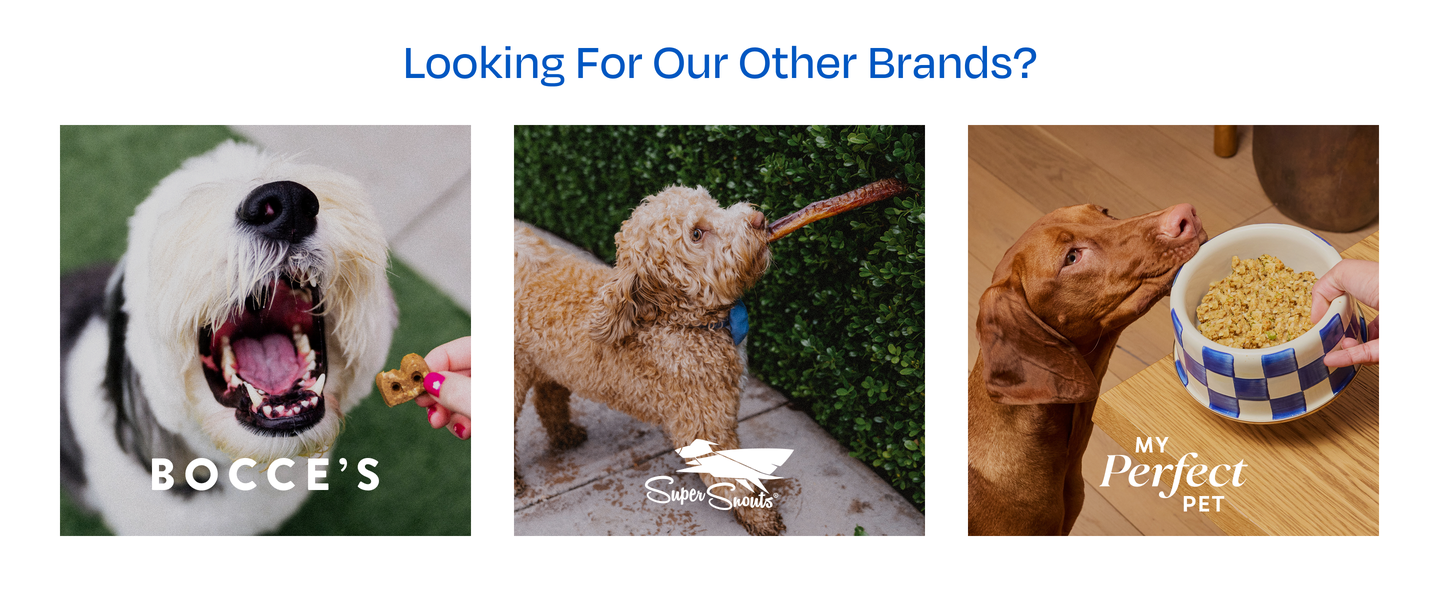
Section settings
| Setting | ID | Type | Default / Current |
|---|---|---|---|
| Heading | heading | Text | Looking For Our Other Brands? |
Blocks (max 6): brand
| Setting | ID | Type | What it does |
|---|---|---|---|
| Brand name | brand_name | Text | Not shown on the tile. Used as the link's accessible name and as the image alt text fallback. |
| Image | image | Image picker | Square image with the brand logo already included. Served at 450–1300px widths. A placeholder shows if empty. |
| Link | link | URL | Usually the brand's store locator. Leave empty to make the tile a non-clickable image. |
| Open link in a new tab | new_tab | Checkbox | Default true |
Configured tiles:
| Order | Brand | Image | Link |
|---|---|---|---|
| 1 | Bocce's | BB.jpg | https://www.boccesbakery.com/pages/store-locator |
| 2 | Super Snouts | SS_…jpg | https://supersnouts.com/pages/store-locator |
| 3 | My Perfect Pet | MPP.jpg | https://www.myperfectpetfood.com/pages/store-locator |
The section can be added to any page from Add section → Other Brands (the preset comes with the three brand blocks, without images or links).
Common tasks
Add, remove or reorder a brand tile
Customize → Pages → custom-store-locator → Other Brands. Add a Brand block (max 6), upload a square image with the logo baked in, set the link, drag to reorder.
Change the store list
Not in the theme: edit locations in Shopify Admin → Apps → Pinpoint Store Locator. See /apps/store-locator.
Point Find Store somewhere else
The /pages/store-locator URL is hardcoded in the Vue components (ProductForm, ProductFormVuex, ProductSubmit, PlpProductCard). Changing it needs a developer. Keep the page handle store-locator.