
Account Pages
All classic account pages use Liquid templates (not JSON) located in templates/customers/. Background images and captions are controlled via global theme settings. Logged-out shoppers reach a separate JSON page, the Account Login hub, from the header profile icon.
Account Login Hub (/pages/account-login)
Template: templates/page.account-login.json · Section: sections/main-page-subscription-login.liquid (name: "Subscription Login")
A landing page that sends shoppers either to their order history (store login) or to the ReCharge subscription portal. The header profile icon links here when no customer is logged in (logged-in customers go to /account).
Layout:
- Hero -- full-width image with a dark overlay, title and subtitle
- Two columns:
- Manage Subscriptions (outlined card, shown first) -- description, three check-mark feature bullets, a "Manage My Subscription" button and a help line
- Login to Your Account (blue card) -- description and a "Log In" button
Settings
| Setting | ID | Type | Current value |
|---|---|---|---|
| Hero image | hero_image | Image picker | Penny_and_Riley__e-Pawmmerce_Web_Analysts.jpg |
| Hero title | hero_title | Text | "Welcome!" |
| Hero subtitle | hero_subtitle | Textarea | "Here, you can access both your subscription portal and your order history - all in one place." |
| Login title | login_title | Text | "Login to Your Account" |
| Login description | login_description | Textarea | (empty) |
| Login button text | login_button_text | Text | "Log In" |
| Login button URL | login_button_url | URL | /account/login |
| Subscription title | sub_title | Text | "Manage Subscriptions" |
| Subscription description | sub_description | Textarea | "Already a subscriber? Access your portal to make changes anytime -- no phone call needed." |
| Feature 1-3 | feature_1, feature_2, feature_3 | Text | "Update your subscription", "Pause your next order", "Change your address or product" |
| Subscription button text | sub_button_text | Text | "Manage My Subscription" |
| Subscription button URL | sub_button_url | URL | https://www.antelopepets.com/tools/recurring/get-subscription-access (ReCharge portal access) |
| Help text | help_text | Text | "Having issues managing your subscription?" |
| Help link text | help_link_text | Text | "Click here for help" |
| Help link URL | help_url | URL | Gorgias help center contact page |
The template's default main-page section is disabled; only the Subscription Login section renders.
Where to configure: Theme Customizer > Pages > account-login template
Sign In Page
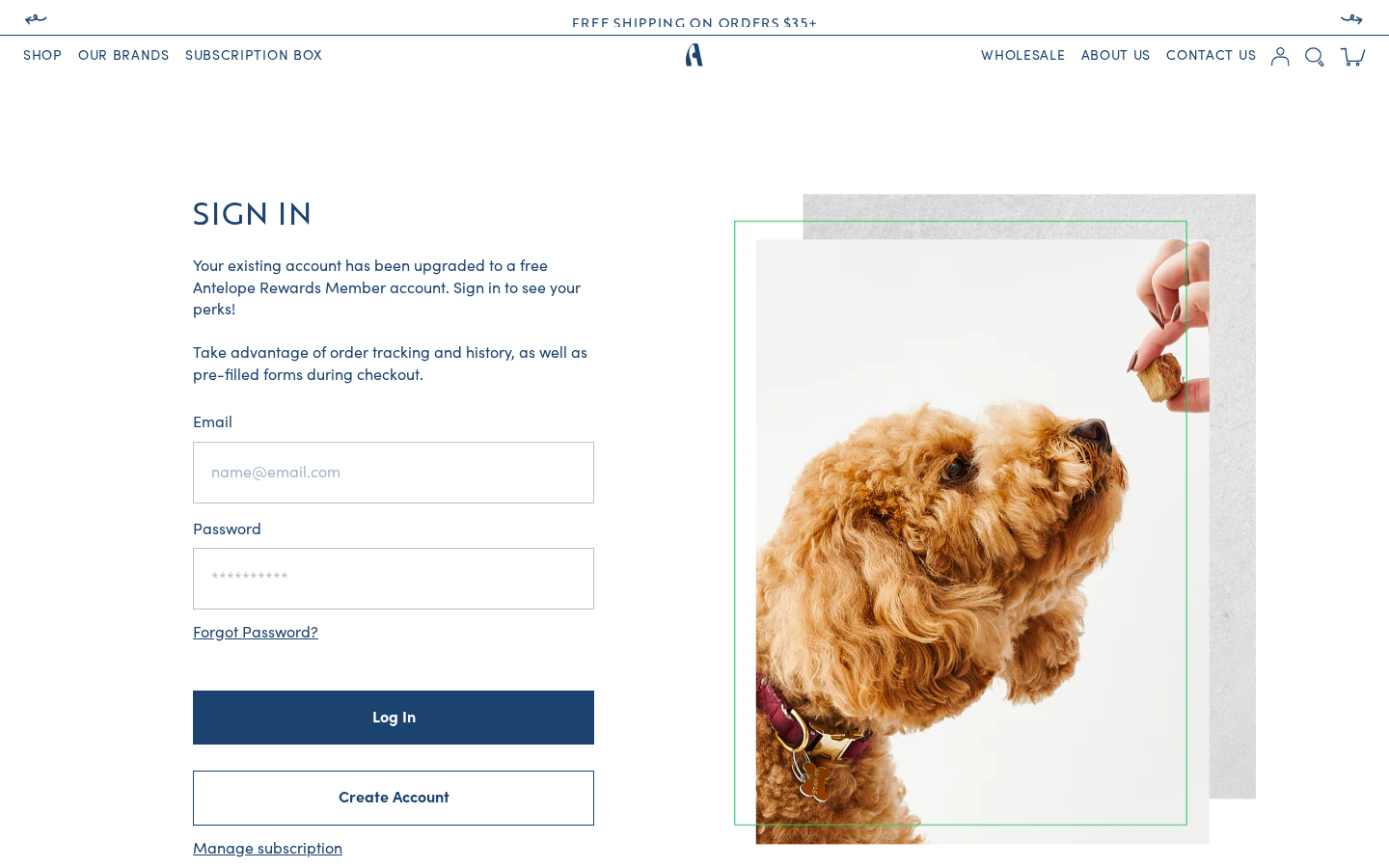
Template: templates/customers/login.liquid
A two-column layout: login form (left) and decorative image (right, appears first on mobile).
Layout
- Heading -- "Sign In" in uppercase Brother font
- Caption -- From
settings.signInCapt, explains the Antelope Rewards Member account upgrade - Login form -- Email and password fields with Shopify's
customer_loginform - Forgot Password link -- Links to the password reset flow (rendered inline, not a separate page)
- Create Account button -- Outlined button linking to
/account/register - Manage subscription link -- Links to
/tools/recurring/get-subscription-access(ReCharge portal)
Configuration
| Element | Setting ID | Current Value |
|---|---|---|
| Caption | signInCapt | "Your existing account has been upgraded to a free Antelope Rewards Member account. Sign in to see your perks!" |
| Desktop Image | signInImg | sign.jpg (static asset) |
| Mobile Image | signInImgM | signM.jpg (static asset) |
Where to configure: Theme Settings > Sign In Settings
Register Page
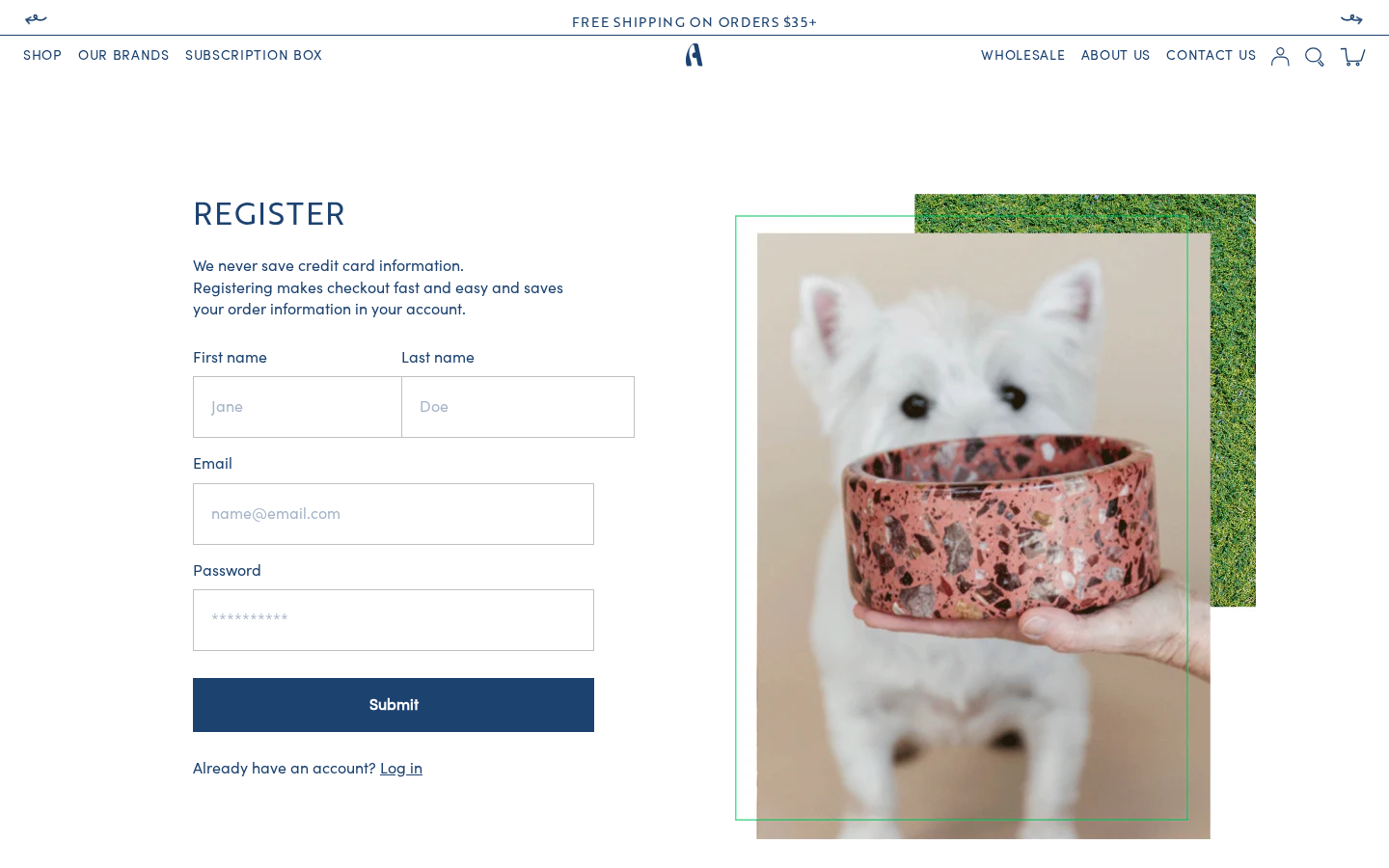
Template: templates/customers/register.liquid
Similar two-column layout to the login page with a registration form.
Configuration
| Element | Setting ID | Current Value |
|---|---|---|
| Caption | regCapt | "We never save credit card information. Registering makes checkout fast and easy and saves your order information in your account." |
| Desktop Image | regImg | reg.jpg |
| Mobile Image | regImgM | regM.jpg |
Where to configure: Theme Settings > Register Settings
Activate Account Page
Template: templates/customers/activate_account.liquid
Used when customers migrating from individual brand stores (e.g., Bocce's Bakery) need to activate their account on the Antelope Pets platform.
Configuration
| Element | Setting ID | Current Value |
|---|---|---|
| Caption | activation_caption | Instructions explaining: previous brand customers can activate here; existing Subscribe & Save orders unaffected; new account won't impact existing brand account |
| Desktop Image | activate_img | sign.jpg |
| Mobile Image | activate_imgM | signM.jpg |
Where to configure: Theme Settings > Activate Account Settings
Reset Password Page
Template: templates/customers/reset_password.liquid
Password reset form with a comforting message.
Configuration
| Element | Setting ID | Current Value |
|---|---|---|
| Caption | resPassCapt | "It happens to the best of us! If your account exists, we'll send you an email to reset your password." |
| Desktop Image | resPassImg | reset.jpg |
| Mobile Image | resPassImgM | resetM.jpg |
Where to configure: Theme Settings > Reset Password Settings
Account Dashboard
Template: templates/customers/account.liquid
Every customer gets the same dashboard.
Customer Dashboard
A full-featured Vue-based dashboard using the <account> component with tabs:
<account> Component Props:
| Prop | Source | Description |
|---|---|---|
subscription | /page/subscription | Subscription management URL |
shipping | routes.account_addresses_url | Shipping address management |
orders | helper-orders snippet | Order history data |
customer | customer.id | Customer ID |
storeidentifier | settings.storeidentifier | Store identifier for API calls |
storetoken | settings.storetoken | Storefront API access token |
Dashboard tabs/slots:
- Overview -- Default account summary
- Subscriptions (
v-slot:subs) -- Displays default address; subscription data fetched via Storefront API - Purchase History (
v-slot:purchase) --<Orders>Vue component with order history - Shipping Addresses (
v-slot:addresses) -- Full address management with:- Address list with default address indicator
- "Add a Shipping Address" button
- Edit/Delete buttons per address
<renderless-addresses-switch>Vue component managing form visibility- New address form and edit address forms (using
layout-account-address-formsnippet)
- Footer (
#footer) -- "Back To Account" button and "Log Out" link
Account Configuration
| Setting | ID | Current Value |
|---|---|---|
| No orders image | noDataImg | Group_1334.jpg |
| No orders text | noDataText | "You do not have any recent orders. Go get something nice for your pet." |
| Store identifier | storeidentifier | "antelopepets" |
| Storefront token | storetoken | (configured) |
Where to configure: Theme Settings > Account Settings
Pet Profile ("My pet" card)
Customers can save their pet's name, species, breed, birthday and photo on the Profile page of Shopify's hosted customer accounts. That card is not part of this theme -- it is the Pet Profile customer-account UI extension installed on antelopepets.myshopify.com, so the classic customers/*.liquid templates above are not involved. See Pet Profile.
The data is stored on the customer as metafields in the custom namespace: custom.pet_name, custom.pet_species, custom.pet_breed, custom.pet_birthday, custom.pet_photo_url.
Not used by the theme
No theme template or Vue component reads these metafields. They are available in Liquid, for example customer.metafields.custom.pet_name inside a Liquid tag.
Order Page
Template: templates/customers/order.liquid
Displays individual order details including line items, shipping/billing addresses, and fulfillment status. Uses layout-account-fulfillment-status and layout-account-financial-status snippets for status display.
Addresses Page
Template: templates/customers/addresses.liquid
Standalone address management page. Also accessible within the Vue-based account dashboard as a tab.
Account-Related Snippets
| Snippet | Purpose |
|---|---|
helper-account.liquid | Account data helper |
helper-orders.liquid | Prepares order history for the <Orders> Vue component |
layout-account-login.liquid | Login form partial |
layout-account-forgot-password.liquid | Forgot password form partial |
layout-account-address-form.liquid | Address form partial (add/edit) |
layout-account-fulfillment-status.liquid | Order fulfillment status display |
layout-account-financial-status.liquid | Order payment status display |